Settings
The Settings page under Manage provides autostart and administrator login settings.
Autostart
If your application requires maintaining uninterrupted scanning, you can configure GoPxL to automatically restart sensors that are running after various events, by enabling Autostart. Unaccelerated single sensors and sensors grouped with a controlling sensor, as well as sensors accelerated by GoMax or a PC instance of GoPxL, will automatically start scanning in the situations listed below. The setting persists after restarts, and is a global setting (that is, not saved in a job). Performing a factory restore disables autostart.
- "Launch" events:
- Power cycle
- Restarting a GoMax unit or relaunching a PC instance of GoPxL that is accelerating sensors
- Restoring a running sensor with a backup in which Autostart is enabled
-
Network disconnections with accelerated sensors (such as when a network cable is disconnected or a switch is power cycled)

|
When a sensor is accelerated by GoMax or GoPxL on PC, only enable Autostart on the accelerating device. Similarly, if a sensor is grouped with other sensors, only enable Autostart on the host sensor (the sensor to which you connected other sensors in GoPxL). Otherwise, timing issues can result in. |
Administrator Login
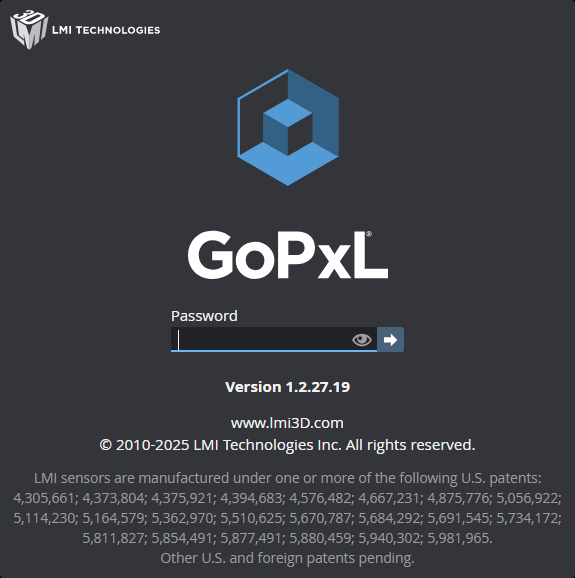
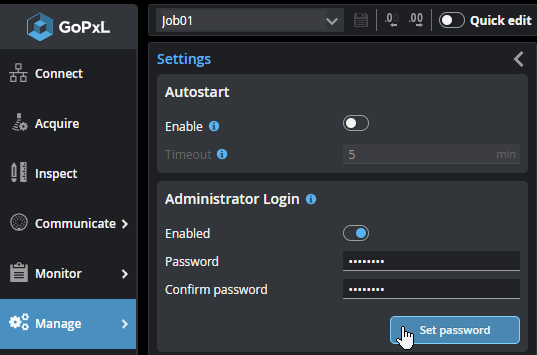
You can prevent unauthorized access to sensors by setting an administrator password. When a password is set, GoPxL displays a password field when the interface loads. To continue you must provide the password. In a password-protected system, there are no limitations in terms of functionality.
You set the administrator password on the Settings page:

|
On a sensor, if you forget the password or want to completely clear a password, you must perform a factory restore. You can do this in GoPxL from Manage > Maintenance (see Factory Restore) or from the Discovery tool (see GoPxL Discovery Tool). When GoPxL is running on a PC, in both you must delete the password-protected instance and create a new instance. |
Note the following:
-
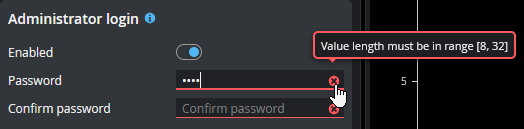
Passwords must be 8 to 32 characters long.
-
All characters are accepted.
-
The password can't be empty.
-
There are otherwise no constraints or checks on passwords (that is, no minimum number of special characters, no combination of uppercase / lowercase, and so on).
-
After setting a password, the password is stored even if administrator login is disabled. If you re-enable the password, the previously set password is active.
-
You don't need to know the current password to change the password, so anyone with access to a logged-in sensor can change the password.
-
If the password is not accepted by GoPxL, hover over the red "x" icon (
 ) for more information.